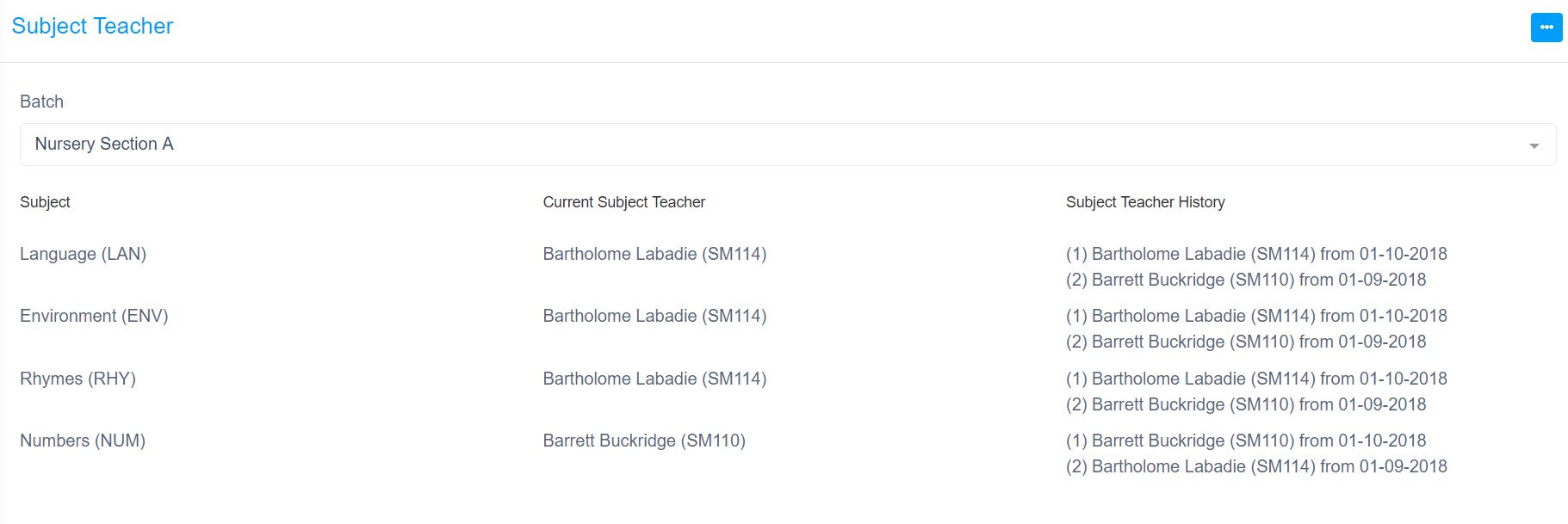
You can access this option by navigating to Academic -> Subject Teacher. Attached screenshot show list of subject teachers of Course Nursery Batch Section A in a particular academic session.
Similar to Class Teacher Allocation, Edumia allows you to keep history of subject teachers which you can print or download as PDF by using filter button available in the header. You can add new subject teacher by clicking on the edit icon next to subject. It open a form to add new subject teacher with effective date and a remarks. You can store multiple subject teachers and then save the form. The date effective field is important which should be in between the academic session start date and end date.
In above example, for Course Nursery Batch Section A Subject Language, Current subject teacher is "Bartholome Labadie" effective from 1st Oct 2018, and two previous subjects teachers were also allocated earlier this session.