Holiday module is used to schedule holidays, choose multiple dates and mark them as a holiday at once. This feature can be acessed through Calendar-> Holiday.
Permissions : This module contains four permissions.
| List Holiday | Anyone with this permission can list all the Holidays |
| Create Holiday | Anyone with this permission can create a Holiday |
| Edit Holiday | Anyone with this permission can edit Holiday |
| Delete Holiday | Anyone with this permission can delete Holiday |
To assign or change permission, visit <your_url>/configuration/permission.
In the top right side, there are options to:
• Filter - This allows you to filter as per the available options.
• Sort By - This allows you to sort the record in ascending or descending order by supported columns.
• More Option - This allows you to take print out or to download list of holidays
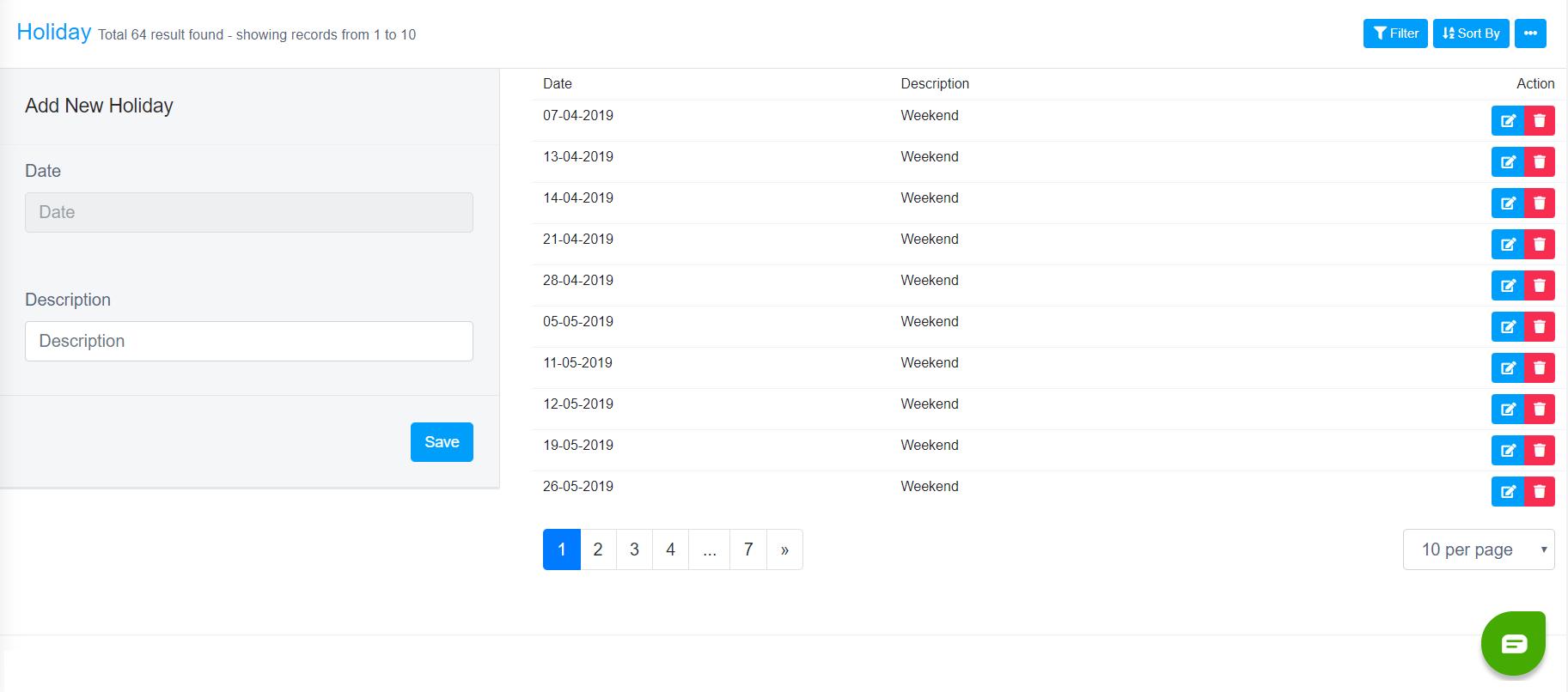
Above is the screenshot of form to assign aHoliday. Once you complete all the details, you can click on save button to store the Holiday details.
In every row, there are options to show, edit & delete Holiday details.
In the bottom left, there is option to navigate to next and previous pages. In the bottom right, there is option to set pagination i.e. number of records per page.